Empowering Teams with Agentic Tooling
Summary
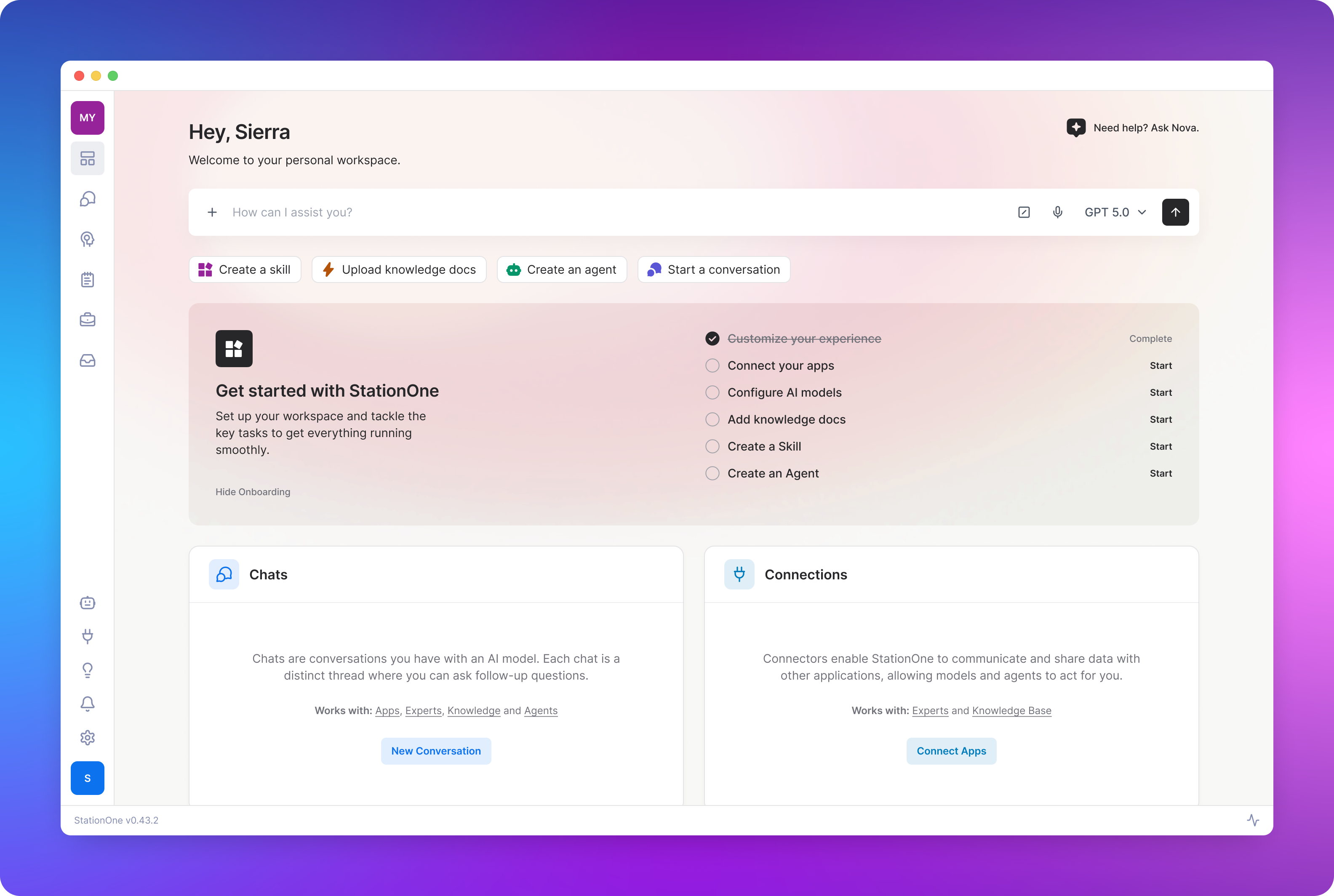
I led the design of StationOne, an enterprise-grade desktop hub for centralizing LLM connectivity, custom agent creation, and workflow orchestration. The project also served as a model for how Kochava could integrate AI into product development, using generative tools to accelerate design, code, and documentation across the board.
Client: Kochava
Role: Lead Product Designer
Timeline: 2025-2026
Impact: Defined a new product category
Opportunity
AI adoption is accelerating, but practical accessibility remains a barrier. The proliferation of SaaS tools, large language models, and custom workflows has fragmented the digital work environment, forcing knowledge workers to operate across multiple disconnected systems.
Kochava saw an opportunity to create a dedicated command center for the modern enterprise; one that lets users deploy and manage AI agents as a seamless extension of their existing workflows.
Research & Discovery
We kicked off with cross-functional brainstorming sessions to align on vision and high-level architecture. To make the concept tangible, I built an interactive high-fidelity prototype in Figma, which leadership used as a storytelling tool with stakeholders and prospective customers.
Within a few weeks, we had a functional prototype running with our internal Customer Success and Marketing teams, giving us a live environment to observe real-world friction points.
Critical Design Decisions
Onboarding the Uninitiated
Agentic tooling introduces mental models like loops, tool-calling, and reasoning steps that are unfamiliar to most users. I grounded the onboarding strategy in four principles:
- Assume zero prior exposure to agentic frameworks.
- Focus on the "Aha!" moment through proper configuration.
- Design for both solo users and enterprise teams.
- Support a multi-session learning curve rather than a one-time information dump.
Iteration & Refinement
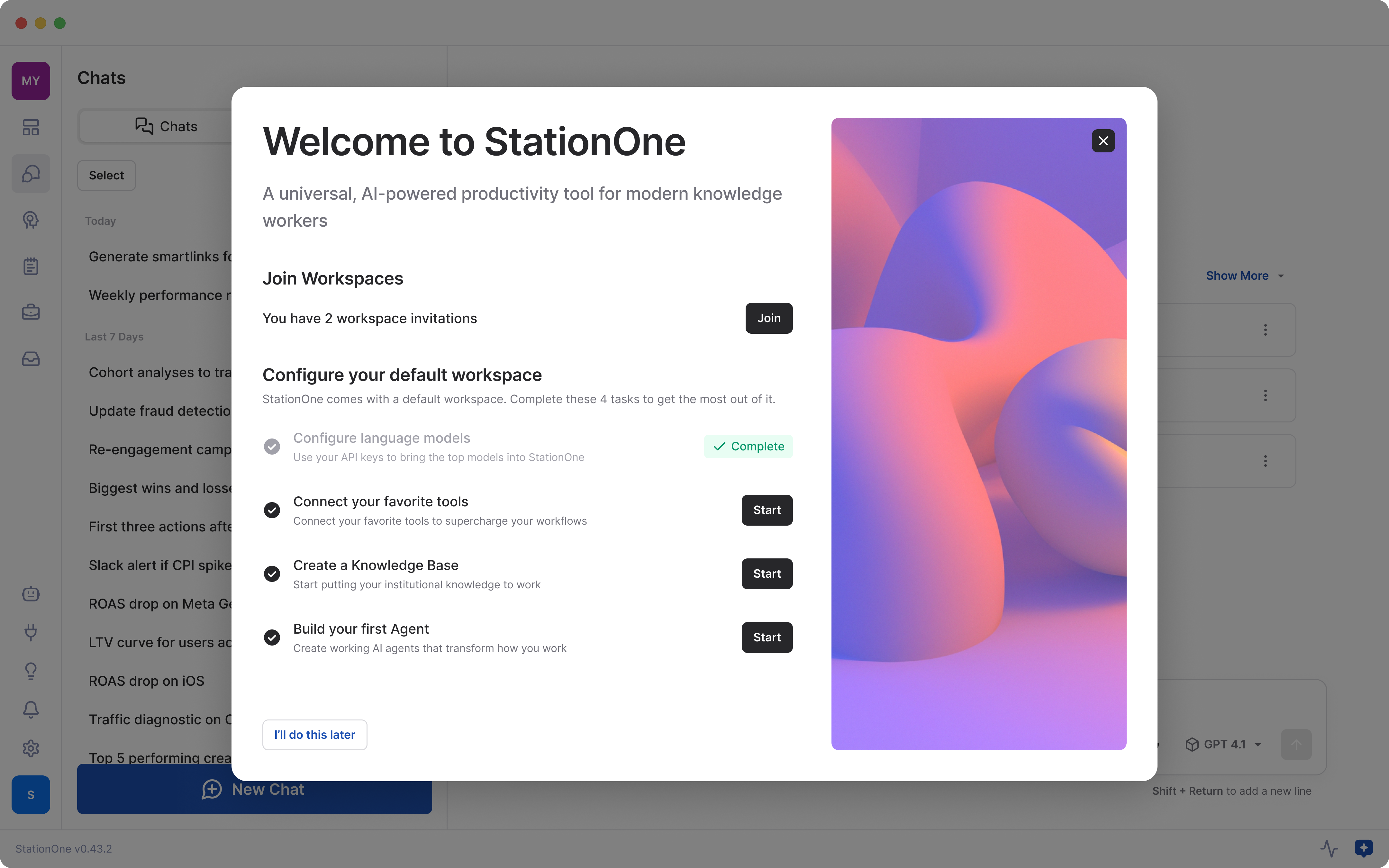
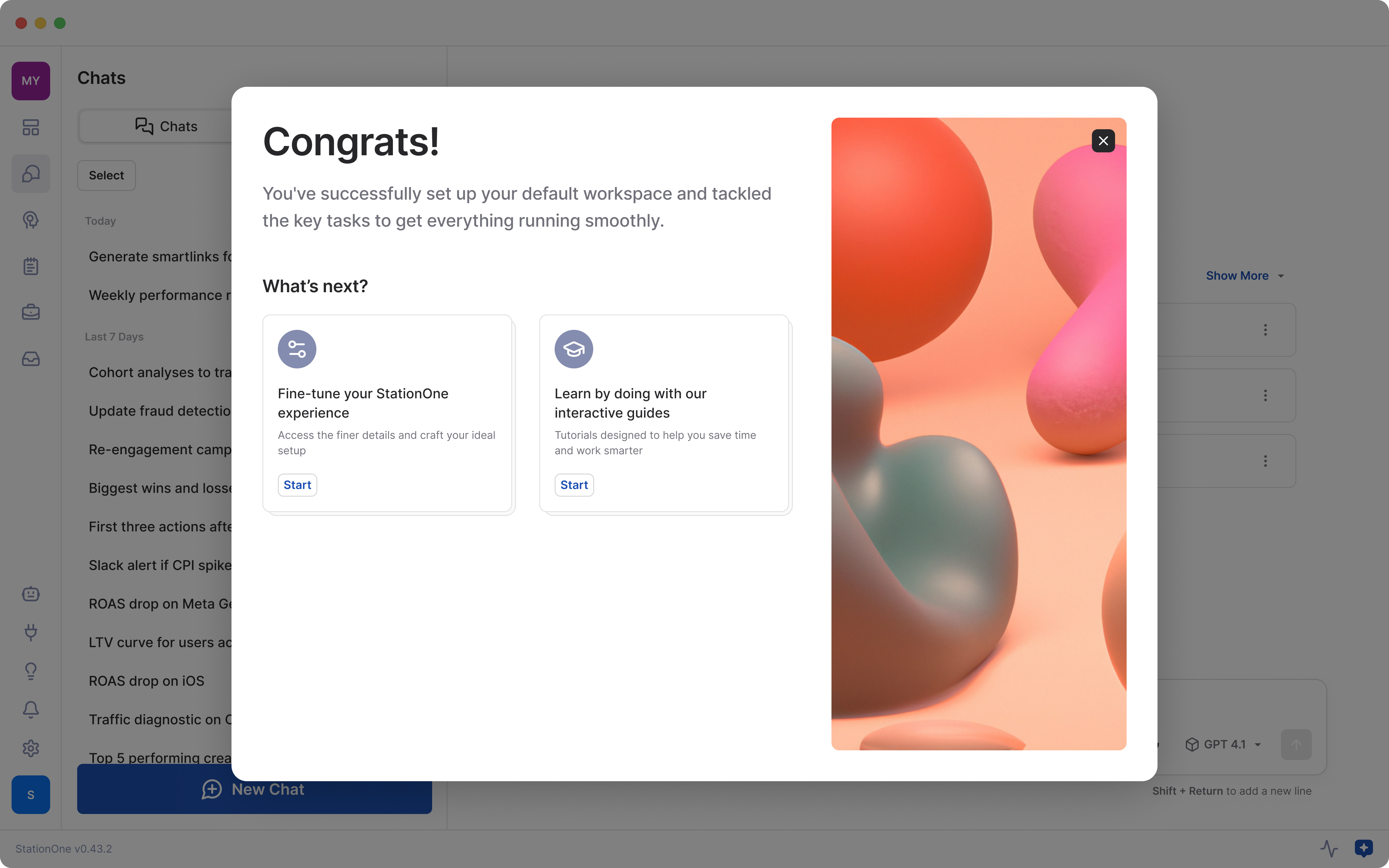
Early onboarding iterations fell flat. I ran the requirements, context, and constraints through Figma Make and v0 to generate alternative solutions, and asked Claude to critique the original designs. Drawing on those suggestions and internal stakeholder feedback, we replaced a linear tutorial with a Personal Workspace Landing Page where users could onboard at their own pace.
- Less critical onboarding tasks were deferred until users had experienced the full product environment.
- Every StationOne account includes a personal workspace with its own landing page. We directed first-time users here, positioning it as the “command center” for onboarding. This gave users a more memorable, accessible space to learn the product, discover features, and experiment with AI tools.
- An optional guided tour of the StationOne interface was introduced during users' first visit to their personal workspace.
Takeaways
Our onboarding struggled because the MVP was too ambitious and we were trying to teach away product complexity. AI-assisted development let us build features so fast we lost sight of whether they were all necessary. That forced us to realign on feature prioritization.
We had many promising ideas we wanted to explore. Instead of prioritizing them carefully, we allowed too many to enter the first iteration. AI-assisted workflows make it easier than ever to ship new features, but that doesn't mean we should.
Democratizing Agent Construction
Agent building introduces concepts like loops, tool-calling, and reasoning steps that are foreign to most users. Many popular agentic tools rely on an open, node-based canvas with drag-and-drop workflow building, which I intentionally avoided. While flexible, canvas interfaces tend to introduce physical effort and accessibility hurdles that can intimidate users.
The Solution
We took a hybrid path, offering two approaches to match different user preferences and comfort levels:
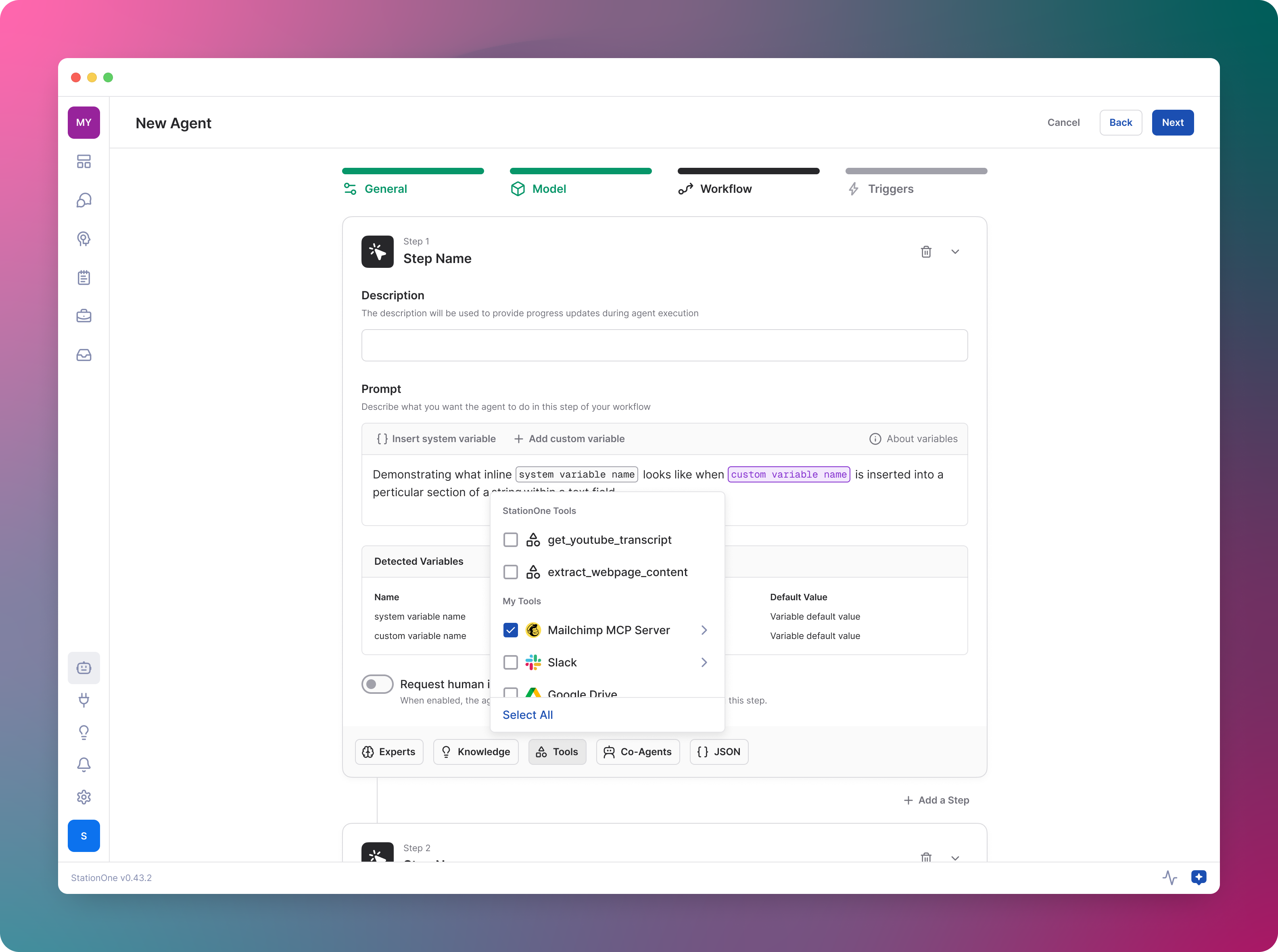
- For users who prefer precision, a guided wizard with stacked workflow blocks provided a linear, logical flow with granular control over prompts and tool-calling.
- To lower the barrier further, a natural language interface let users describe a goal and have the system generate a draft configuration.
Taming Chat Complexity
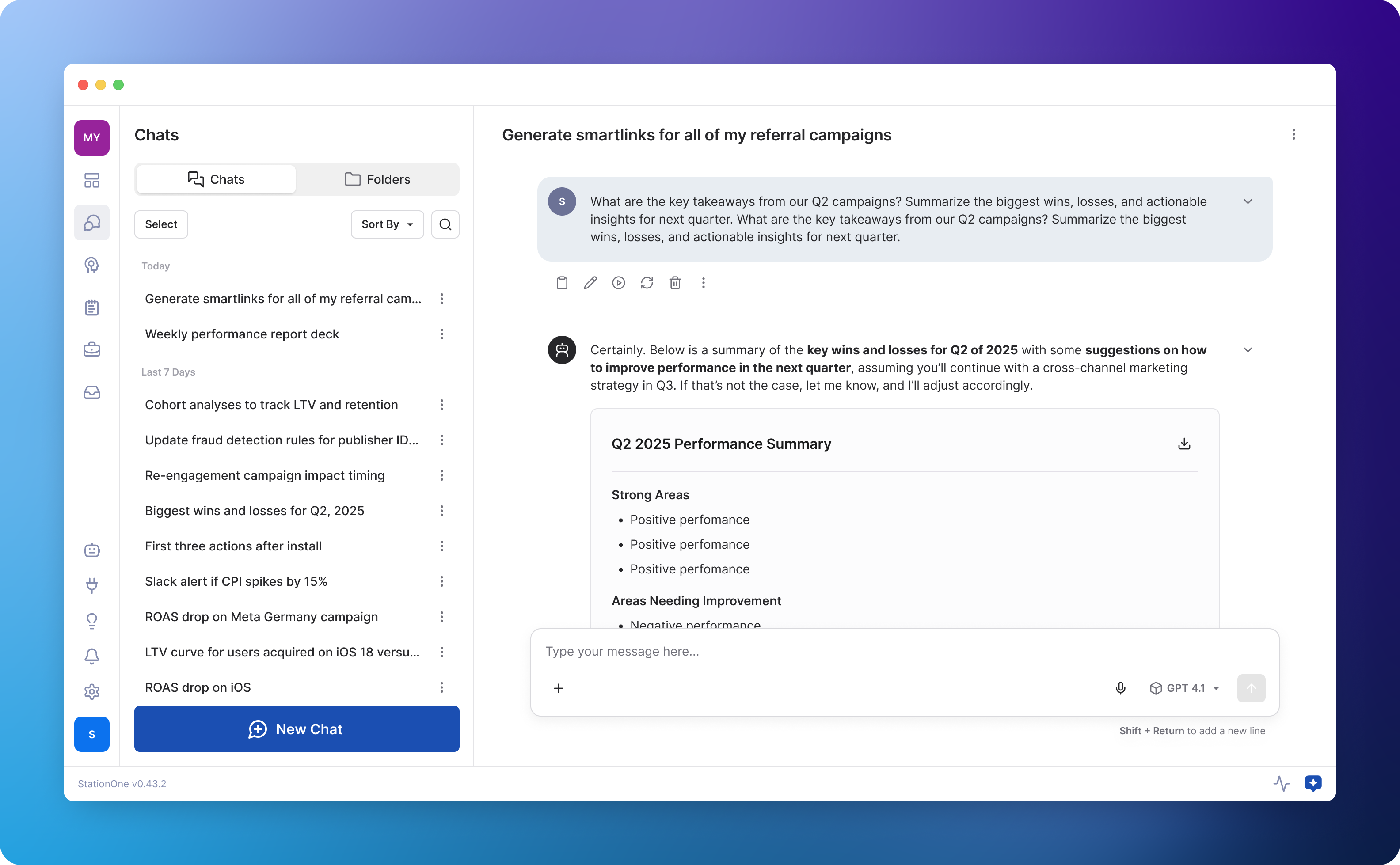
Many of StationOne's tools work in tandem with chat to create a force multiplier. But the convergence of all these tools in one place created confusion about which tools were applied and how to use them together effectively.
My approach
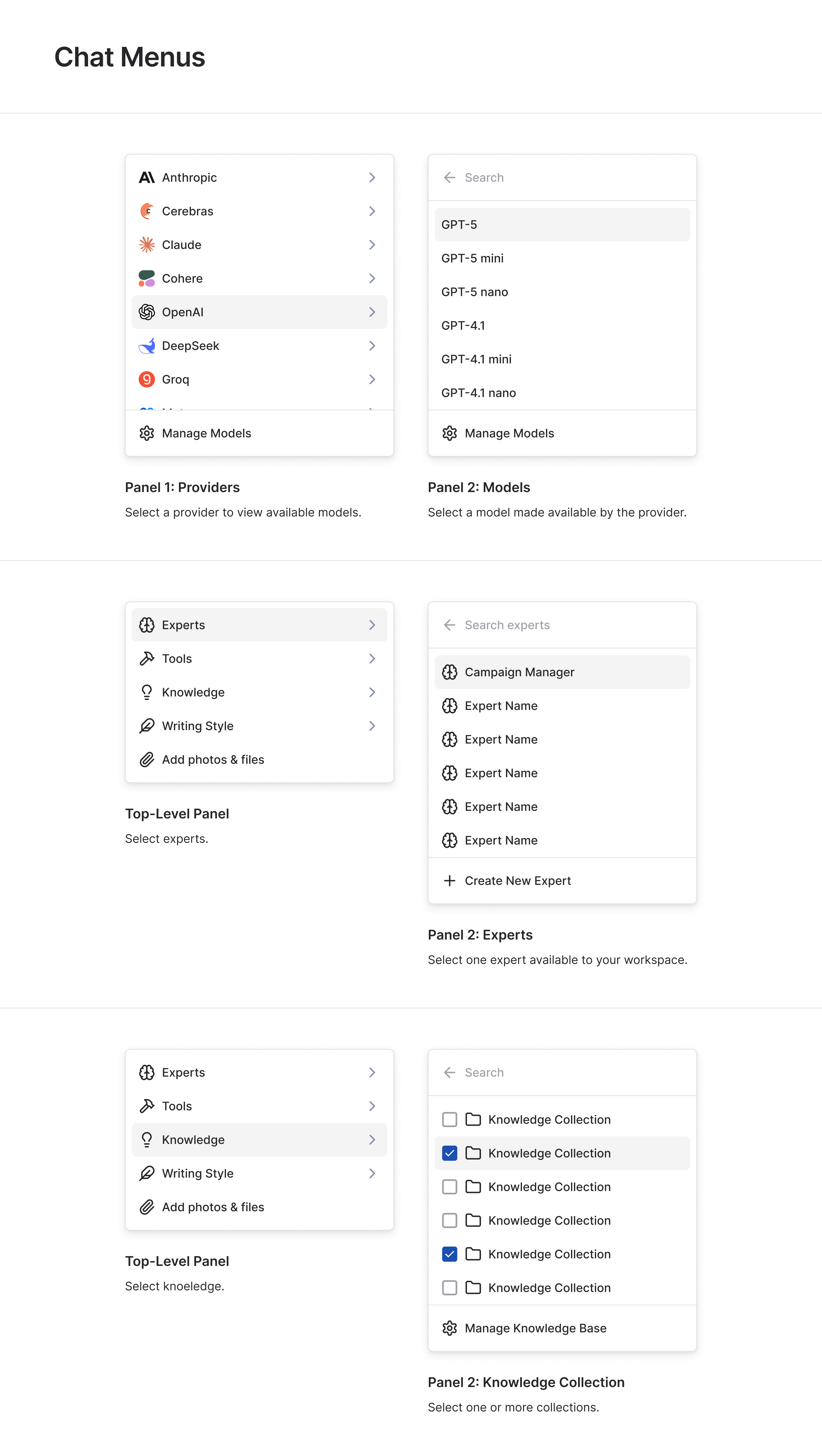
The challenge was to organize a dense feature set into something intuitive and accessible. Through iterative prototyping, I kept a few core principles in focus:
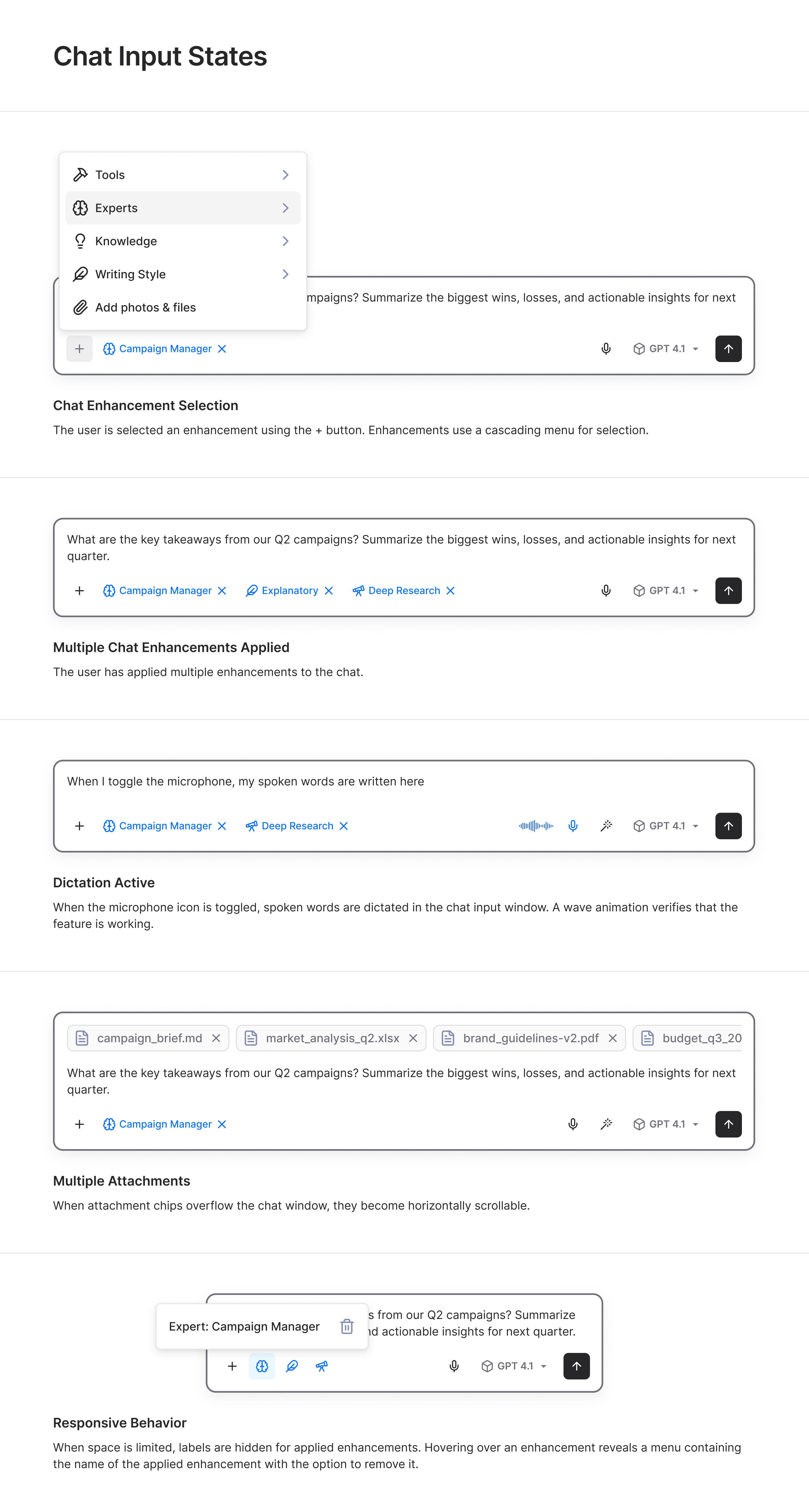
- Users should always know which tools and models are currently active.
- Tools organized by category should be easy to browse.
- Adding or removing multiple tools should happen in a single flow.
- Users should be able to activate a new tool directly from chat without switching context.
- The UI must scale gracefully to handle complex multi-tool configurations.
Outcome
Post-launch qualitative feedback confirmed significant improvement in visual hierarchy and state awareness. While the changes smoothed out the mechanical friction of the chat UI, they also surfaced a deeper opportunity; helping users predict how specific tool combinations will drive better outcomes.
Impact & Results
StationOne is a [desktop application](https://stationone.ai/) that reimagines how professionals interact with AI. It's currently in private beta and available to select users by invitation. We continuously monitor adoption metrics, including daily active users, individual feature adoption rates, and time on task, and collect feedback from users and support tickets to guide improvements.
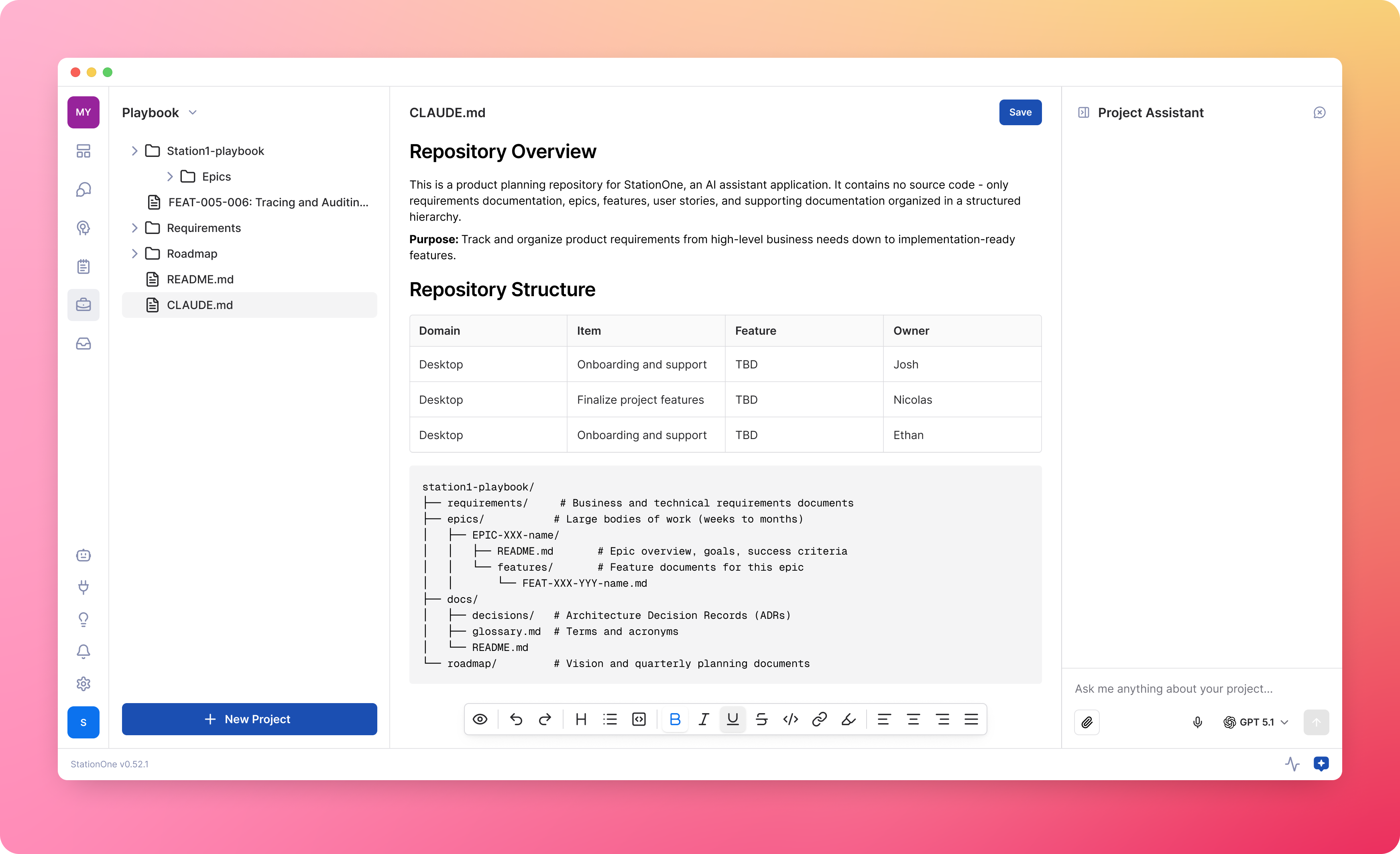
The StationOne team's approach to integrating AI into product development became a model for the broader organization, ultimately sparking a company-wide initiative to overhaul the entire SDLC.
Project Workflow
1
Collaborate on backlog refinement based on incoming product feedback.
2
Brainstorming session with product and dev stakeholders.
3
Clean and consolidate notes; give to Claude to generate an initial PRD/design spec.
4
Use context from PRD to generate ideas; Figma Make, v0, Lovable, etc.
5
Fold good ideas back into Figma designs.
6
Prepare for handoff; Claude runs design critique (command); checks for inconsistencies.
7
Ask Claude to build the page/flow/component (Figma MCP / Figma Console MCP / custom guardrails).
8
Iterate with Claude to fix bugs/inconsistencies or adjust code by hand.
9
Execute Playwright tests.
10
Pull request & code review.
11
Update product documentation (add Figma links, etc).